


Startseite » IO-Link Products » IO-Link Diagnosis Tool
IO-Link Diagnosis Tool
The IO-Link Diagnosis Tool is an IO-Link analyzer that electrically and logically examines the IO-Link signal. It is an indispensable tool for engineers and users of IO-Link technology to identify any type of problem in the IO-Link connection.
Can I try the IO-Link Diagnosis Tool before purchasing?
Functional Description
The Diagnosis Tool is based on a high-speed multi-channel A/D converter that measures voltages and currents on both the C/Q and L+ lines. The captured data is transmitted via USB to the included Diagnosis Tool PC application and evaluated. The PC software runs on Windows 7 and newer.
IO-Link communication can be analyzed at the byte level, M-sequence level, protocol level, and even application level. In the latter case, the IO-Link communication is visible in plain text. Filter and search functions simplify error identification.
This enables visual monitoring in waveforms and eye diagrams for master and device signals.
Typically, the IO-Link Diagnosis Tool is inserted between the master and the device. However, an integrated master allows devices to be checked without an external master. All communication is stored directly on a PC.
IO-Link Diagnosis Tool Functional Description
- Time-accurate IO-Link signal analysis and monitoring
- High-speed IO-Link synchronized ADC
- Time-accurate Software UART Decoding
- Optional hardware signal direction detection
- Byte-, frame-, protocol- or IODD-based decoding
- Advanced filter and search functions
- Image of all transmitted data
- Data storage image creation
- Storage on hard drive
- Analog signal view for UL+, IL+, UCQ, ICQ
- Serial decoding in analog waveform view
- Separate eye diagram view for Device and Master
- Interactive rulers for analog measurements
- New: Trigger-Out connection in V2.0
- Measurement data calibration
- Integrated Master
Advantages the IO-Link Diagnosis Tool brings you
- Fast and easy IO-Link problem analysis
- Logical and electrical diagnosis and analysis
- Suitable for development and application
Diagnosis Tool or IO-Link Spy – which fits when?
Both tools analyze IO-Link communication at the byte, M-sequence, protocol, and application level, including precise UART timing. The difference lies in the use case: the IO-Link Diagnosis Tool connects via cable and offers the broader feature set – analog signal display, eye diagrams, SD recording, and an integrated IO-Link master. It operates reliably even in EMC-heavy environments and remains unaffected by digital signals on the I/Q line. The IO-Link Spy, on the other hand, clips wirelessly onto the IO-Link cable and can passively sniff ongoing communication without interrupting it – ideal for troubleshooting directly during operation, when intervening in the wiring isn’t possible.
| Diagnosis Tool | Spy | |
|---|---|---|
| Verbindungsart zum IO-Link-Kabel | Kabelgebunden | Kabellos (aufgeklemmt) |
| PC-Anschluss | USB | USB |
| Analyse der IO-Link-Kommunikation (Byte-, M-Sequence-, Protokoll- & Applikationsebene) | ✔ | ✔ |
| Präzises Timing jedes UART-Bytes | ✔ | ✔ |
| Aufzeichnung von IO-Link-Bytestreams auf SD-Karte | ✔ | ✘ |
| Analoge Funktionen (Signaldarstellung, Eye-Diagramme, Trigger, Kalibrierung …) | ✔ | ✘ |
| Laufende Kommunikation passiv mitsniffen (ohne Unterbrechung) | ✘ | ✔ |
| Integrierter IO-Link-Master | ✔ | ✘ |
| Sicherer Betrieb in EMV-belasteten Umgebungen | ✔ | ✘ |
| Digitalsignale auf I/Q-Leitung beeinflussen Analyse nicht | ✔ | ✘ |
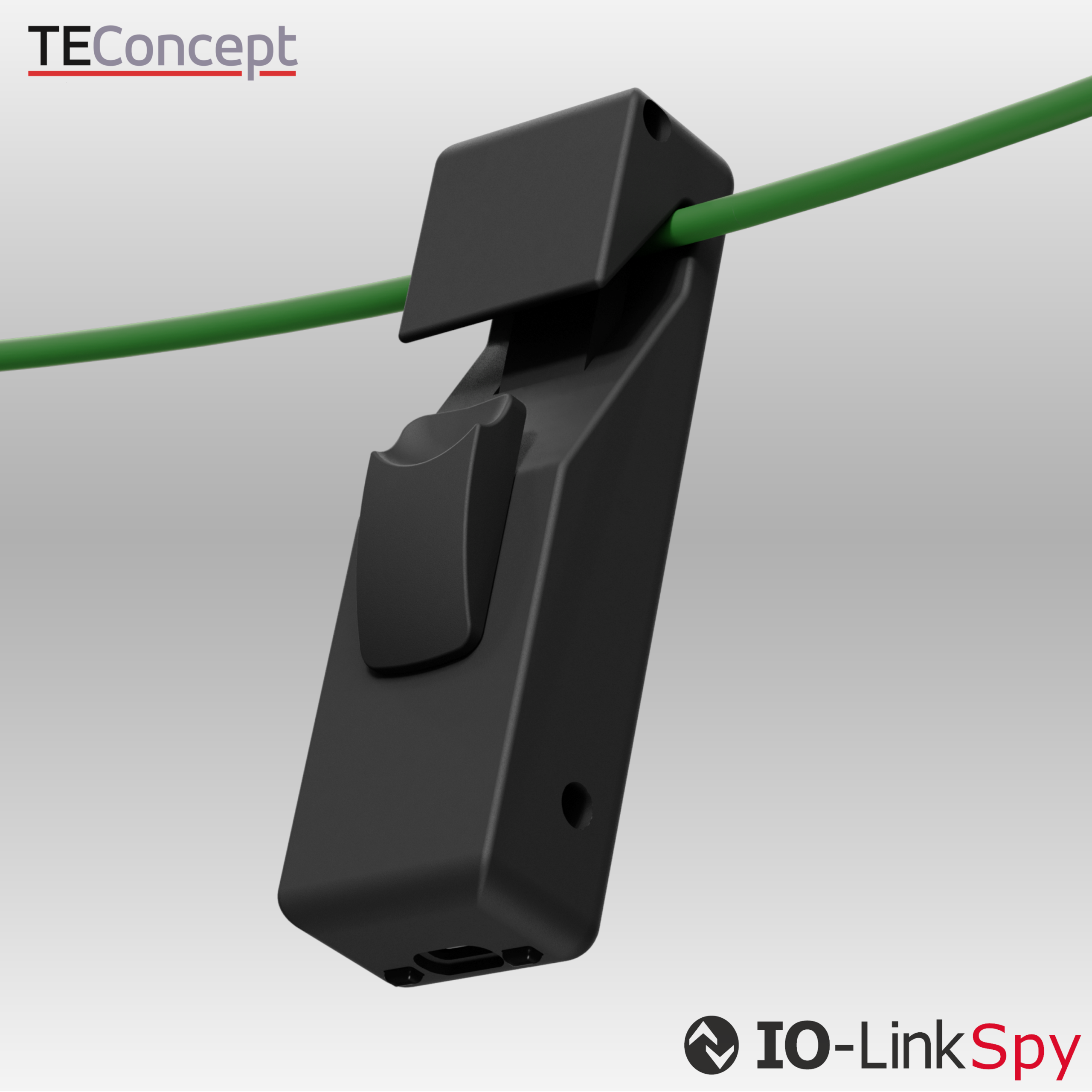
IO-Link Spy
Analyzes IO-Link communication at the bitstream level, making protocol errors, timing issues, and unexpected device behavior visible — indispensable for development and troubleshooting.
Contact

- +49 761 21443640
- +49 761 21443636
- info@teconcept.de