



Home » IO-Link Products » IO-Link Spy
IO-Link Spy – Communication Analysis Between Master & Device
The IO-Link Spy, also known as the IO-Link Sniffer, functions as an IO-Link analyzer that enables the logging and analysis of IO-Link communication: for example, between an IO-Link master and an IO-Link device. To do this, the IO-Link Spy is simply clipped onto the IO-Link cable. It is an indispensable tool for engineers and users of IO-Link technology during commissioning and field operation, allowing them to identify any kind of issue in IO-Link communication without affecting operation or communication in any way. This also makes it possible to analyze and resolve sporadically occurring faults.
Quickly identify and resolve IO-Link issues?
Description
The IO-Link signal is tapped via capacitive coupling. Through amplification, filtering, and digital signal processing, the original signal is finally restored. The measured data is transmitted via USB to a software application running on a Windows PC.
IO-Link communication can be seamlessly analyzed at the byte level, M-sequence level, protocol level, and even application level. In the latter case, IO-Link communication is visible in plain text. Filter and search functions simplify the identification of problems. Since the IO-Link Spy is simply connected to an IO-Link cable, the ongoing IO-Link communication does not need to be interrupted. This is particularly useful for analyzing problems during operation or for errors that occur only very sporadically. If necessary, an additional grounding plug can be used to improve signal quality, although in most cases it works perfectly without it.
User benefits of the IO-Link Spy
- Logging of IO-Link communication without interrupting ongoing communication
- Quick and easy analysis of IO-Link problems
- Detection of logical problems
- Suitable for development and application
- Grounding cable for noise suppression in rare use cases
- In progress: automatic COM detection
- Also in progress: command-line interface (also for Linux) for test automation and AI-assisted development
User restrictions of the IO-Link Spy
- There should be little to no other (digital) signals present on the line (aside from IO-Link communication).
- Excessive electromagnetic interference in the environment can lead to problems in restoring the original IO-Link signal.
IO-Link Spy or IO-Link Diagnosis Tool – which fits when?
| Diagnosis Tool | Spy | |
|---|---|---|
| Type of connection for capturing IO-Link communication | Wired | Wireless (clipped on the IO-Link cable) |
| USB connection to the PC | yes | yes |
| Analysis of IO-Link communication (on byte/ M-Sequence/ protocol/ application level) | yes | yes |
| Analysis of the precise timing of each UART byte | yes | yes |
| Recording IO-Link byte streams to SD card | yes | no |
| Analog features (analog signal view for UL+, IL+, UCQ and ICQ, eye diagrams, analog triggers, calibration, …) | yes | no |
| Capturing an ongoing IO-Link communication (without interrupting it) | no | yes |
| Integrated IO-Link Master | yes | no |
| Works without any issues in environments with electromagnetic disturbance. | yes | no |
| Digital signals on the I/Q line do not affect the analysis of the IO-Link communication. | yes | no |
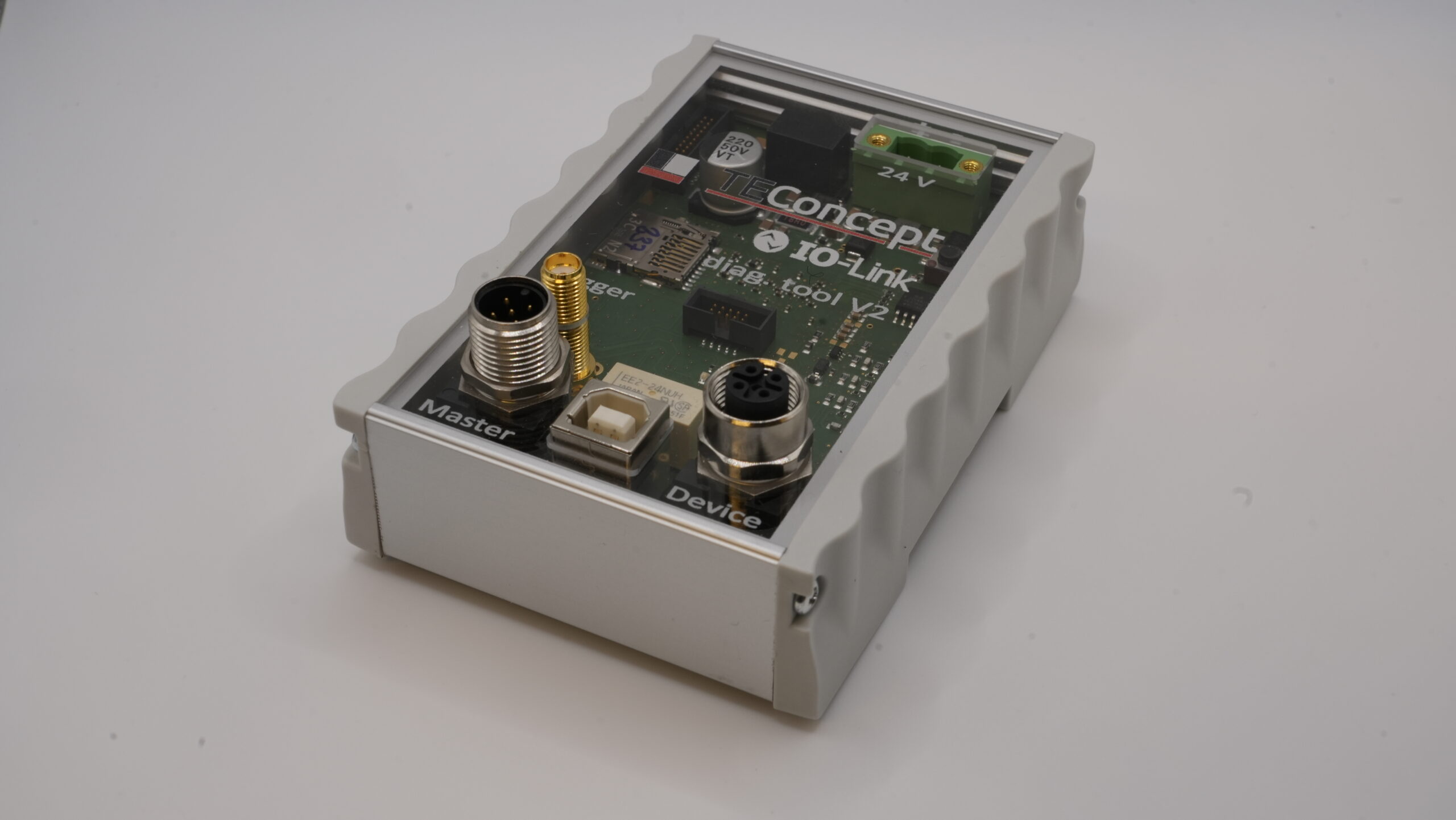
IO-Link Diagnosis Tool
Enables parameterization, process data evaluation, and device diagnostics of IO-Link devices directly on the PC — ideal for commissioning, field use, and technical support.
Contact

- +49 761 21443640
- +49 761 21443636
- info@teconcept.de
Use our contact form for further questions about the Diagnosis Spy. Our team will be happy to help you.